ClearCheckbook Money Management
ClearCheckbook
Money Management Made Easy
You're viewing posts for ClearCheckbook News
« Return to Blog

ClearCheckbook Premium Membership Price Increase

3/10/2017 in ClearCheckbook News

The price of our ClearCheckbook Premium upgrade will go up $1 per month starting on March 24, 2017. All existing Premium members will be grandfathered into the existing price.

We introduced the ClearCheckbook Premium Membership upgrade over 8 years ago, back in December of 2008 when the site was less than 3 years old. Since then we've grown more than we ever imagined. Along with the tremendous growth and keeping up with the latest technologies comes ever more costs associated with running a site as large as ClearCheckbook.

Since our launch in 2006 we've never taken a single penny of outside investment money which is something we're rather proud of. Every cent we've earned and used to build, host, develop and maintain ClearCheckbook and our associated apps has been made by those of you who have opted to upgrade to ClearCheckbook Premium. ClearCheckbook wouldn't be here today if it weren't for those with a ClearCheckbook Premium upgrade, and for that we thank you.

While the ClearCheckbook bank account has funds to keep the website hosted and operational for years to come, that isn't good enough in today's technological landscape. We need to keep up with the ever changing mobile environment and make sure our mobile apps are up to the same standards as the website. Mobile app development doesn't come cheap and we want to make sure we're able to keep our apps updated more regularly and get more of the features you want added to them.

With the recent re-launches of both the iOS and Android apps this has become more apparent to us than ever. Those apps were originally designed when the mobile landscape was much different than it is today. Our apps were meant to be a quick reference for checking your balances and budgets and to make it easy to add transactions on the go. We've discovered that as smartphones have gotten faster and cell providers have increased their connection speeds, people want more out of the app than the simple interface we currently provide.

In addition to the mobile apps, the act of keeping ClearCheckbook running smoothly as growth explodes is an endeavor with ever increasing costs and complexities. Those of you who have been with us for many years might remember some of our big growth spurts that resulted in site down-time or long load times. We want to make sure these issues remain "things of the past," and that means upgrading hosting plans and hardware long before it becomes a critical necessity.

All that being said, the new costs to upgrade to ClearCheckbook Premium will be as follows:
  • $5 - 1 month membership
  • $15 - 3 month membership
  • $27 - 6 month membership (save 11% vs. monthly)
  • $52 - 12 month membership (save 15% vs. monthly)

Raising the price of the membership wasn't an easy decision but this will help us stay innovative and give you a much better experience both on mobile devices and the website itself.

Like we said above, all users with an existing ClearCheckbook Premium upgrade as of March 24, 2017 will be grandfathered into the existing rates. If you're currently a free user and want to upgrade with the existing rates, you'll need to upgrade between now and March 24. You can learn more about ClearCheckbook Premium and how to upgrade here: https://www.clearcheckbook.com/premium/info.

If you're already a ClearCheckbook Premium member, we recommend updating your billing information to ensure your membership doesn't expire, causing you to lose your grandfathered status. To update your billing information, click on Settings at the top right side of the page and then click on Manage Your Premium Membership. There will be a link in the green box at the top of the page to update your billing information (auto-renew must be enabled to update your billing information.)

Again, I'd like to extend my deepest thanks to our ClearCheckbook Premium members. You are the life-blood of the site and your continued patronage to ClearCheckbook has made the site what it is today.

Thanks,

Brandon O'Brien
Founder / CEO
ClearCheckbook.com
ClearCheckbook MoneyManagement 2.0 for Android available for download!

3/3/2017 in ClearCheckbook News

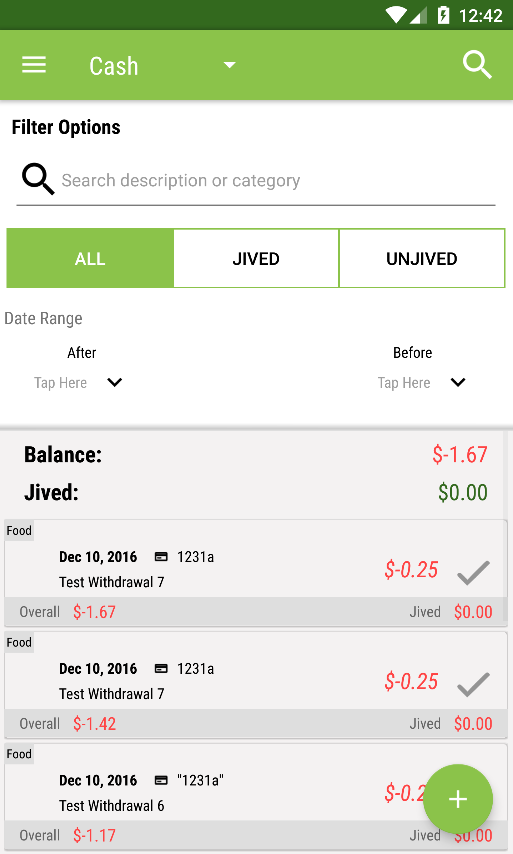
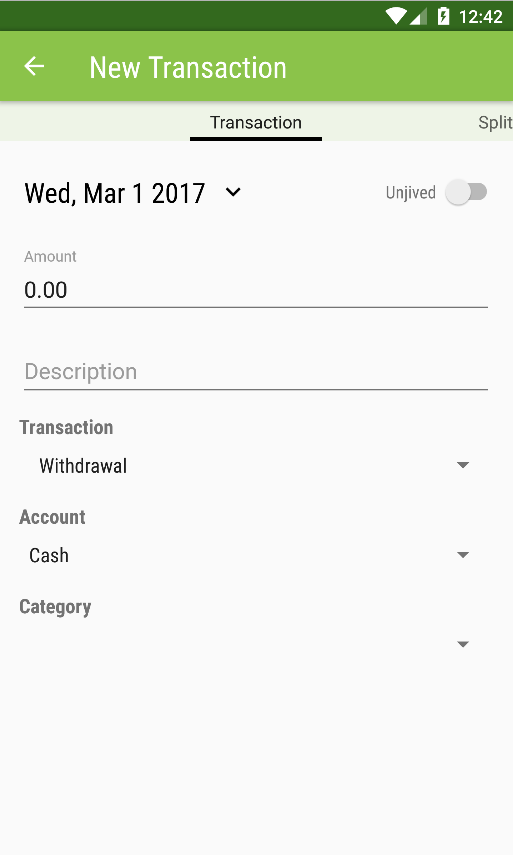
The completely overhauled and revamped ClearCheckbook app for Android has been finished, tested and is now available for download on the Google Play store!

New features in the updated app include:
  • Completely updated Material Design UI
  • basic offline functionality
  • auto-complete when adding transactions
  • transaction register filtering
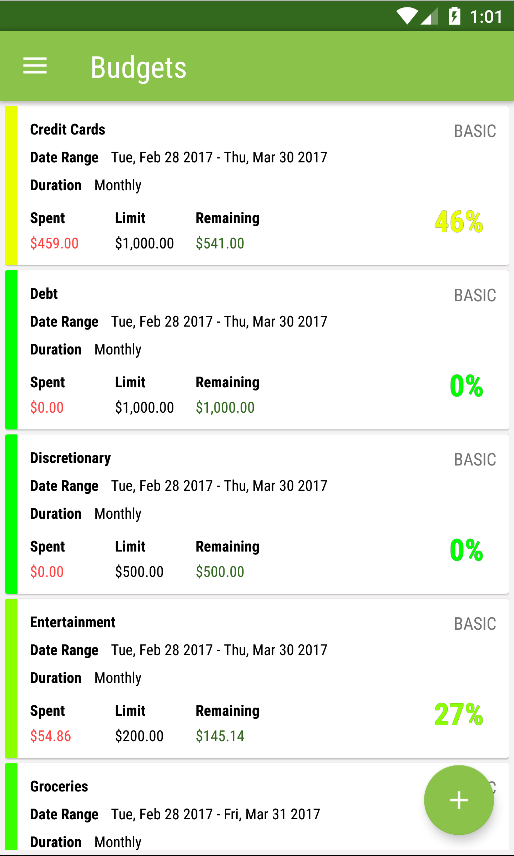
  • addition of grouped, combo and income percent budgets
  • improved support for currency formatting
  • faster load times
  • better crash prevention

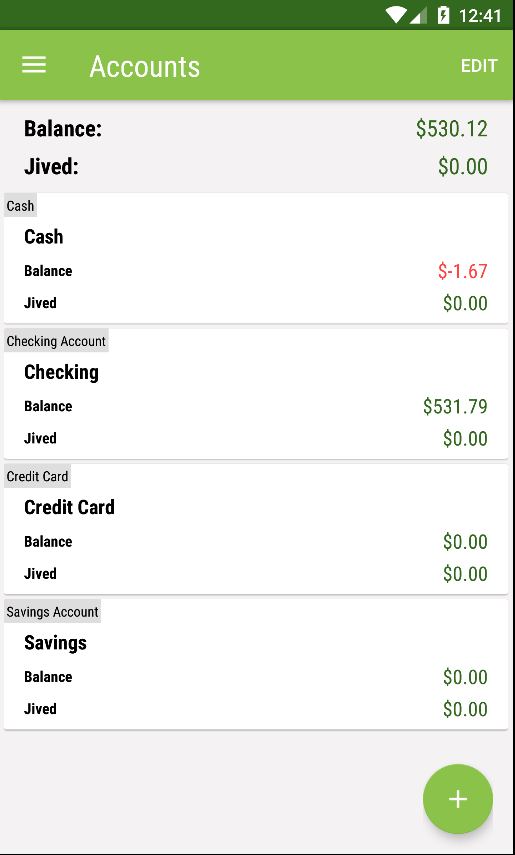
Android App - Account Overviews
Account Overviews
Android App - Transaction Register w/ Filters
Transaction Register w/ filters
Android App - Add Transaction form
Add Transaction
Android App - Budgets / Spending Limits
Budgets
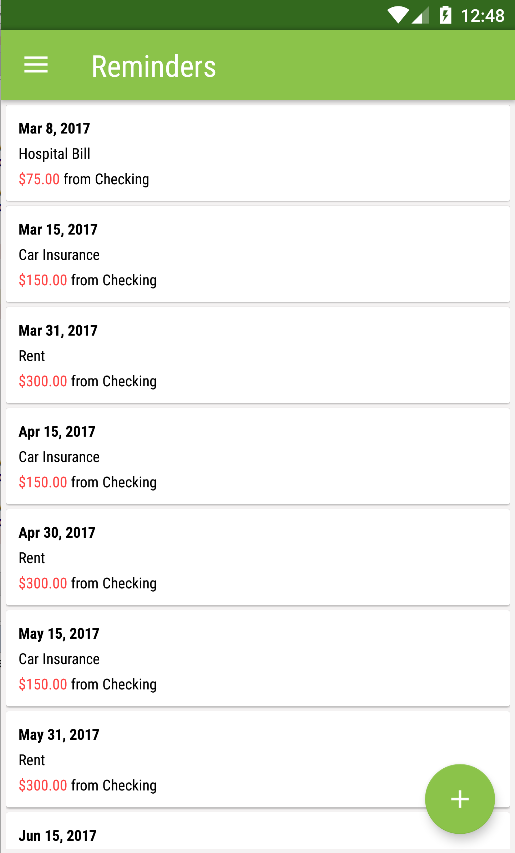
Android App - Reminders / Recurring Transactions
Reminders

The new app should be much faster to use and also fixes a lot of bugs and addresses a lot of feedback we received from you. You should be able to update the app through the Google Play store soon, if it isn't already available.

We were able to catch and fix a lot of issues in our internal testing and beta testing, but if you experience any other issues please let us know and we'll work on getting it quickly resolved. We'd also like to point out that we'll be adding an "All Transactions" register view to the app shortly, since it's currently not available on the app.

We'd also like to give a special thanks and shout-out to the developer of the new app, Russell Stewart, for his speediness and professionalism through the entire development process. If you're in need of getting an Android app developed, please consider Russell. You can contact him through the following outlets: LinkedIn, StackOverflow or Facebook.

What's been happening at ClearCheckbook - February 2017 Edition

2/7/2017 in ClearCheckbook News

We've been busy with a lot of updates and upgrades to the systems that run ClearCheckbook and our mobile apps. This blog post will cover a lot of those changes and how they affect ClearCheckbook.

1. DNS / SSL Updates - The biggest change this week has been switching DNS servers and SSL certificates. Our old DNS provider was discontinuing service so we found an alternative that also has some really cool features such as automatic asset minification and caching which have cut down bandwidth by over 50% daily.

Since we switched DNS providers it also gave us the opportunity to update the way we handle SSL certificates and serving our site over HTTPS. This fixed some of the redirect issues some people were experiencing when entering http://clearcheckbook.com. Now all urls are redirected properly to https://www.clearcheckbook.com. These new SSL procedures also brought up a couple unexpected errors though, which brings us to...

2. Android app connection issues - When we switched DNS servers we started receiving messages from some Android app users saying the app would no longer connect. At first we thought it was simply a DNS propagation issue but after a few days of people still having problems, we finally figured out that it was due to the new SSL certs that use the latest ciphers not supporting some legacy Android versions and really old versions of Windows. Once we discovered this we were able to make some changes to the way SSL certificates are handled and provide an older certificate for these antiquated systems, while still serving the most recent and secure certificates to modern day technologies.

3. API updates for mobile apps - We've been busy making updates to the API for our mobile apps which include adding the Bill Tracker and currency + conversion methods. The current iOS app is almost finished being updated to add the Bill Tracker as well as the auto-complete feature.

4. Android app 2.0 - Our developer is finishing up some of the last pieces of the new Android app and we'll be launching the previously mentioned beta testing very soon. Thank you for those who have submitted your information to our beta testing program. We'll be sending out invites soon to download and start testing the beta app. If you're interested in helping us beta test the new Android app and haven't already done so, please sign up to be a beta tester!

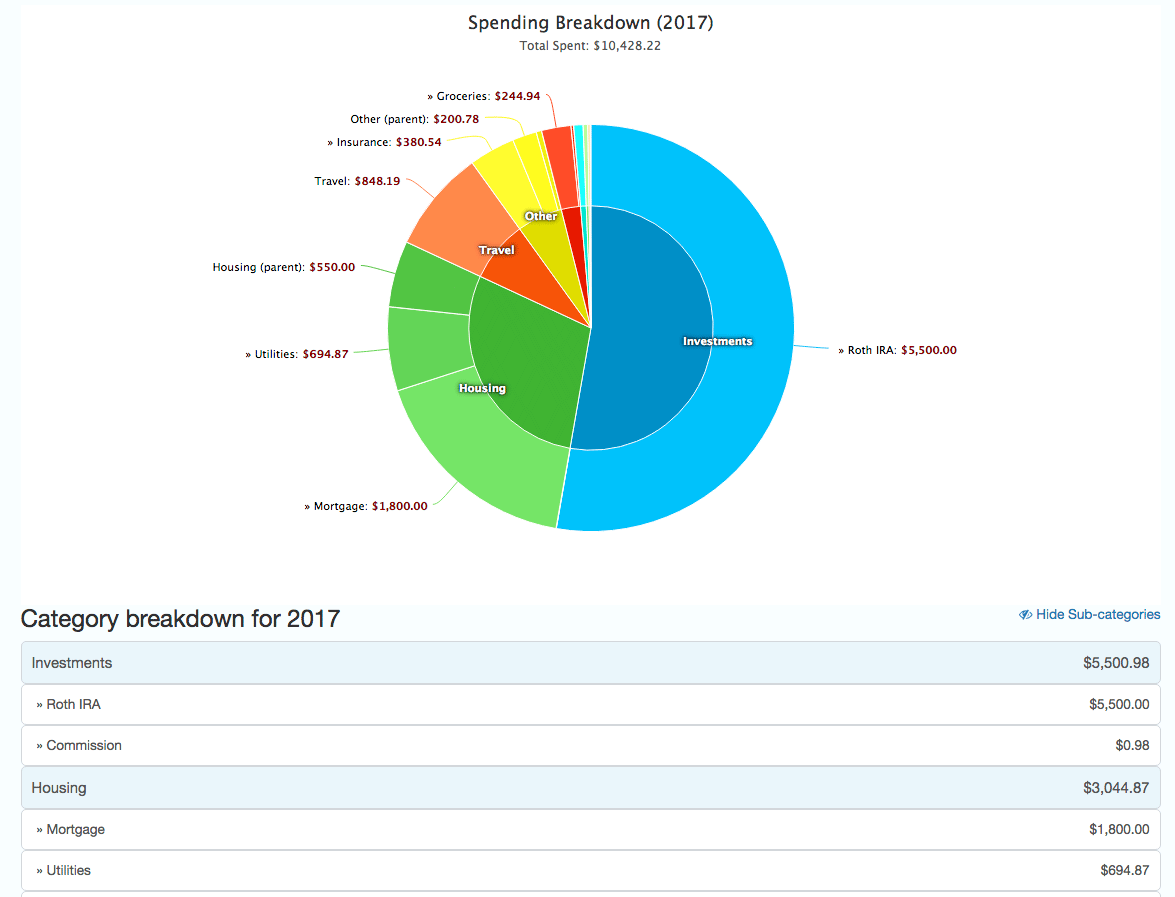
5. Updated Pie Year Charts - We realized that our old 'Pie by Year' charts weren't that helpful. They were small and didn't show all of your spending in a very intuitive way. With the update to the Pie Year Charts, we now use one large chart that shows both parent and sub categories on the same report in a very nice and clean way. Below the report we also have a breakdown of each of your categories with total spending for the year.

This new view of your spending for the year is a great way to help figure out where you can cut back on for 2017. We also recommend taking a look at the chart and using the information from 2016 to help you set your 2017 budgets. The Pie Year Chart is available to all premium members and can be found by clicking on 'Reports' at the top of the page, then click on the 'Categories' tab and finally 'Pie by Year'.
ClearCheckbook Yearly Pie charts
Click for full screenshot of yearly pie charts


We want to apologize to anyone that was affected by the DNS/SSL legacy issues but those have all been sorted out and we hope you're able to connect without any issues now. There's been a lot of activity behind the scenes lately and soon you'll start to see some of that make its way up front in the way of the mobile apps being updated (iOS) and overhauled (Android).

If you have any questions about these upgrades or simply want to leave us any comments or suggestions, please let us know!

Thanks,

Brandon O'Brien
Founder, ClearCheckbook

SSL Connection Issue with Android App

2/6/2017 in ClearCheckbook News
Update: It appears there's an issue with older versions of Android and the updated SSL certificate we're using. The new certificate uses protocols that aren't supported by old versions of Android (<=3.0) and some very old operating systems. We're working on a fix for this now.

Last Friday (February 3) we had to switch our DNS servers due to our previous one discontinuing service this month. There seems to be some lingering issues with the Android app not connecting with our site for some users and showing No accounts / No balances. All of your data is actually fine and secure on our servers (since no data is actually stored on the app). We believe it's simply a DNS propagation issue and it should be resolved with time. Until that happens you can always access your accounts, balances, budgets and more by visiting https://www.clearcheckbook.com from the browser on your phone.

We're monitoring the situation to see when it starts clearing up. The problems don't seem to be affecting everyone which is what makes us think it's taking some time for some Android phones to get the updated DNS information. We've tested logging into the app from several of our own Android devices and it's been working properly.

If you previously had this error in the last few days and then it started working again, please let us know.

We're sorry for the inconvenience.

Site maintenance on Friday February 3, 2017 at 10pm ET

2/3/2017 in ClearCheckbook News
We will be running a test to switch to new DNS servers on Friday February 3, 2017 at 10pm ET. We're not anticipating any downtime but we wanted to make you aware of the maintenance just in case.

Archives

Categories

For minor updates and bug fixes, check out our Site Updates in the Support Forums.