Take Control of Your Financial Future
Unlock advanced budgeting tools, real-time bank syncing, automated file backups, and powerful forecasting calculations designed to accelerate your savings goals.
Our Plans


See Premium in Action
See a quick walkthrough of the advanced tools and reports available with Premium.
Premium Features
Connect with Banks
Connect up to 5 financial institutions to ClearCheckbook so your transactions are automatically downloaded each day. Learn more in our connect to banks knowledge base article.
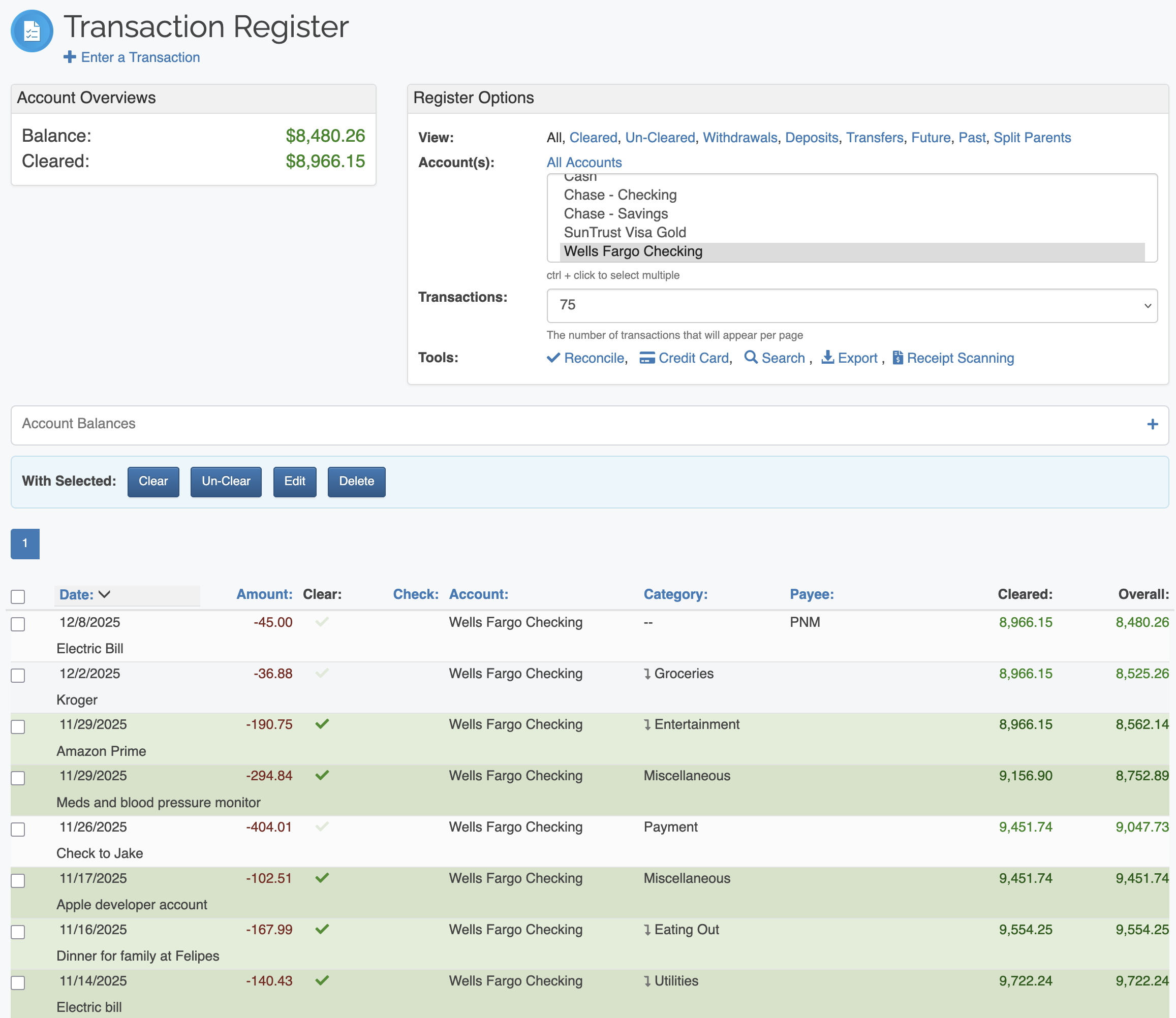
Running Balances
Running balance are just like you see on your bank website. After each transaction, you will see the new balance, plus the cleared balance (our term for your cleared balance). This is a great way to see how each transaction affects your overall balance.
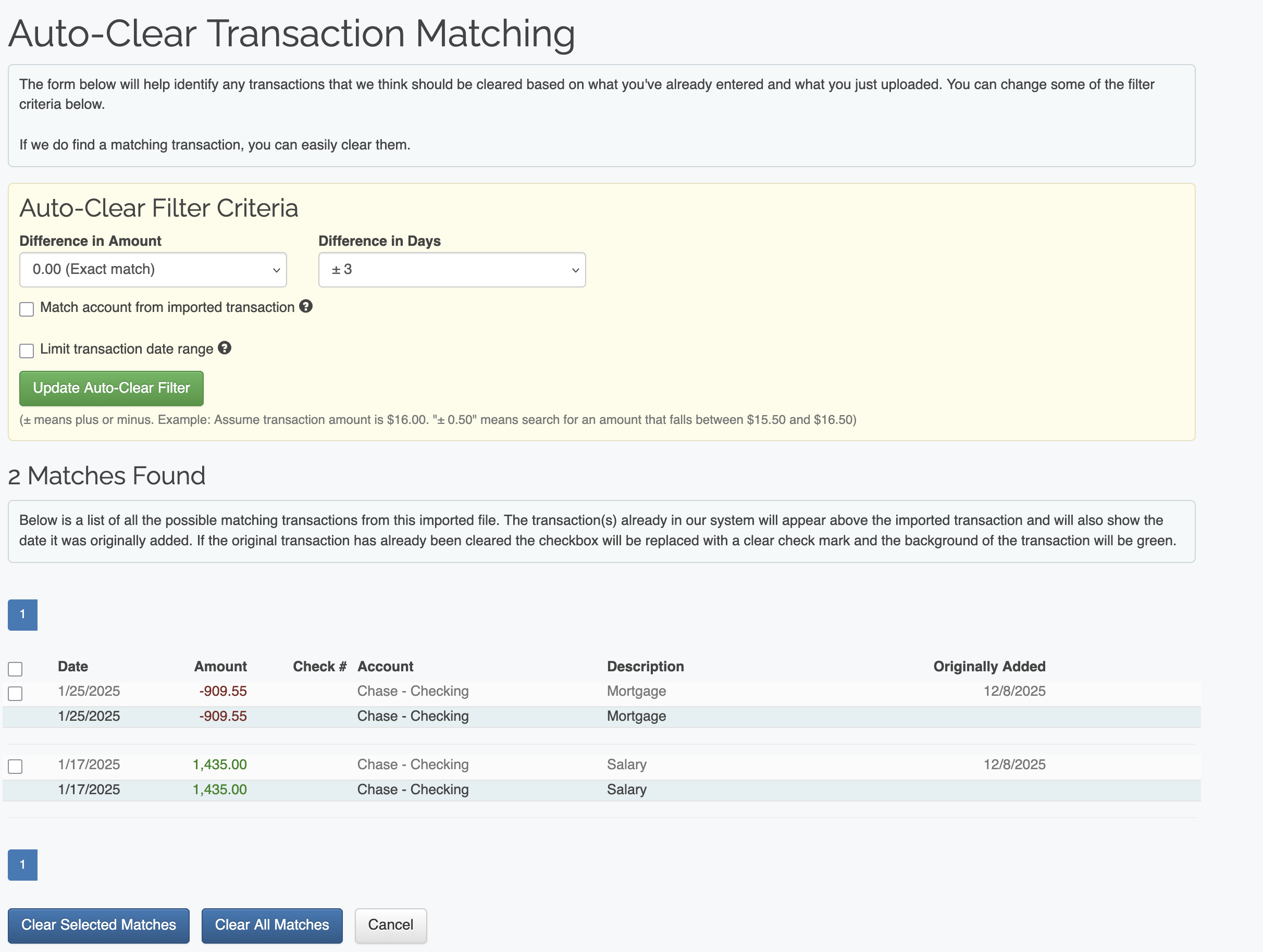
Auto-Clear Your Transactions
Upload a QIF, OFX, QFX or CSV file and we'll find matching transactions so you can easily reconcile and balance your accounts. Any transactions that don't match can be viewed and added to your register if necessary.
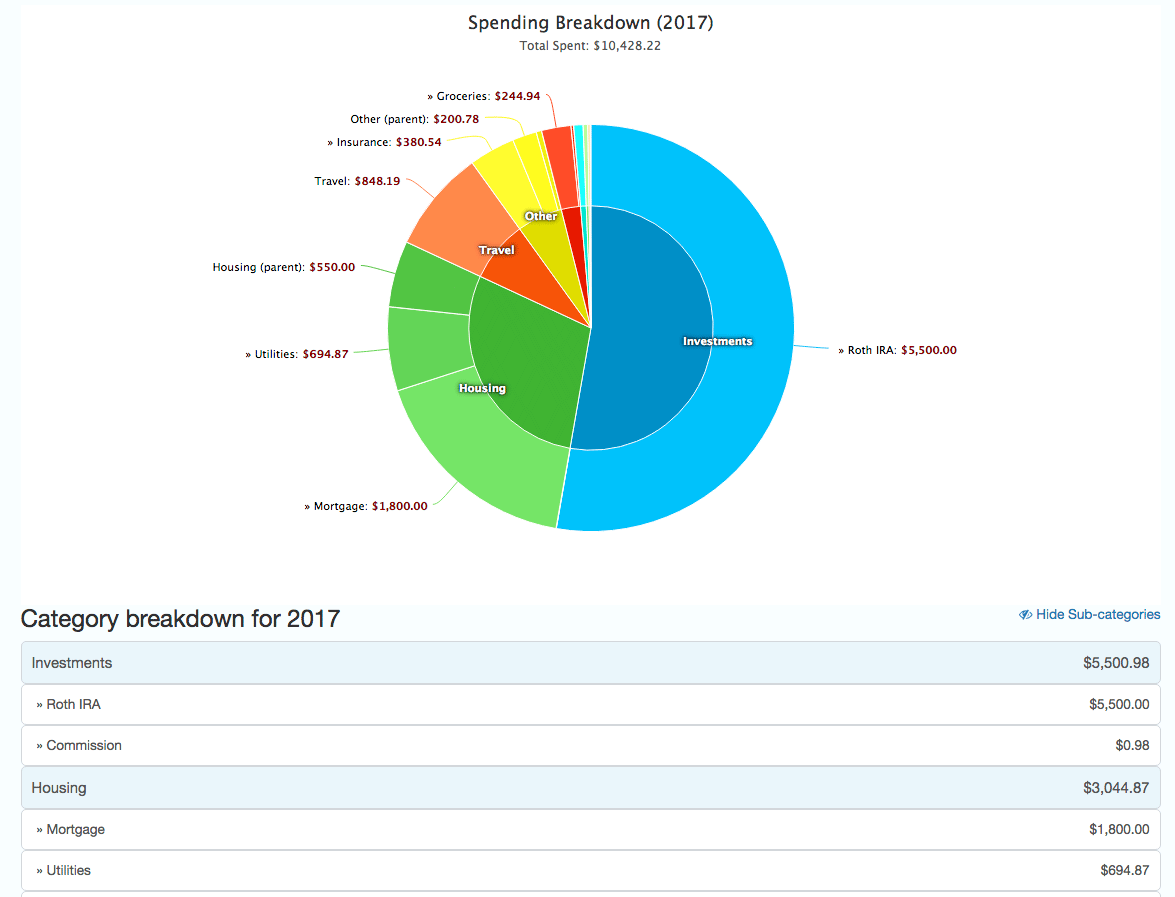
Yearly Pie Charts
The Yearly Pie Charts show you all of your spending broken down by category and sub category for a given year. This is a great report for finding areas that you can start cutting back on.
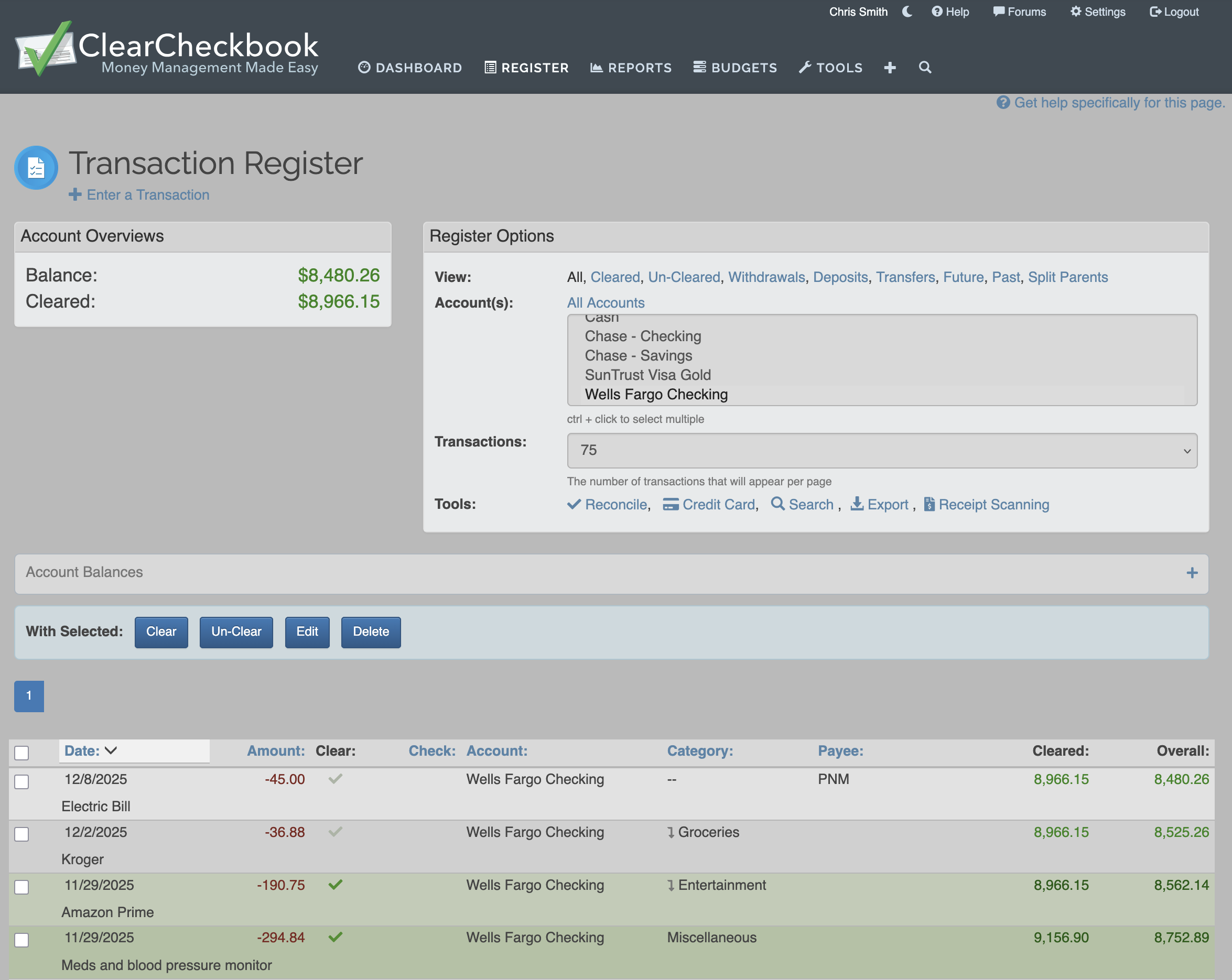
Dark CSS Theme
Switch to our Dark Mode, making ClearCheckbook easier on the eyes.

Automatic Transaction Backups
Have your transactions automatically backed-up to your Dropbox, Google Drive or Microsoft OneDrive account each night. Have all of your ClearCheckbook data in an easily accessible location whenever you need it.
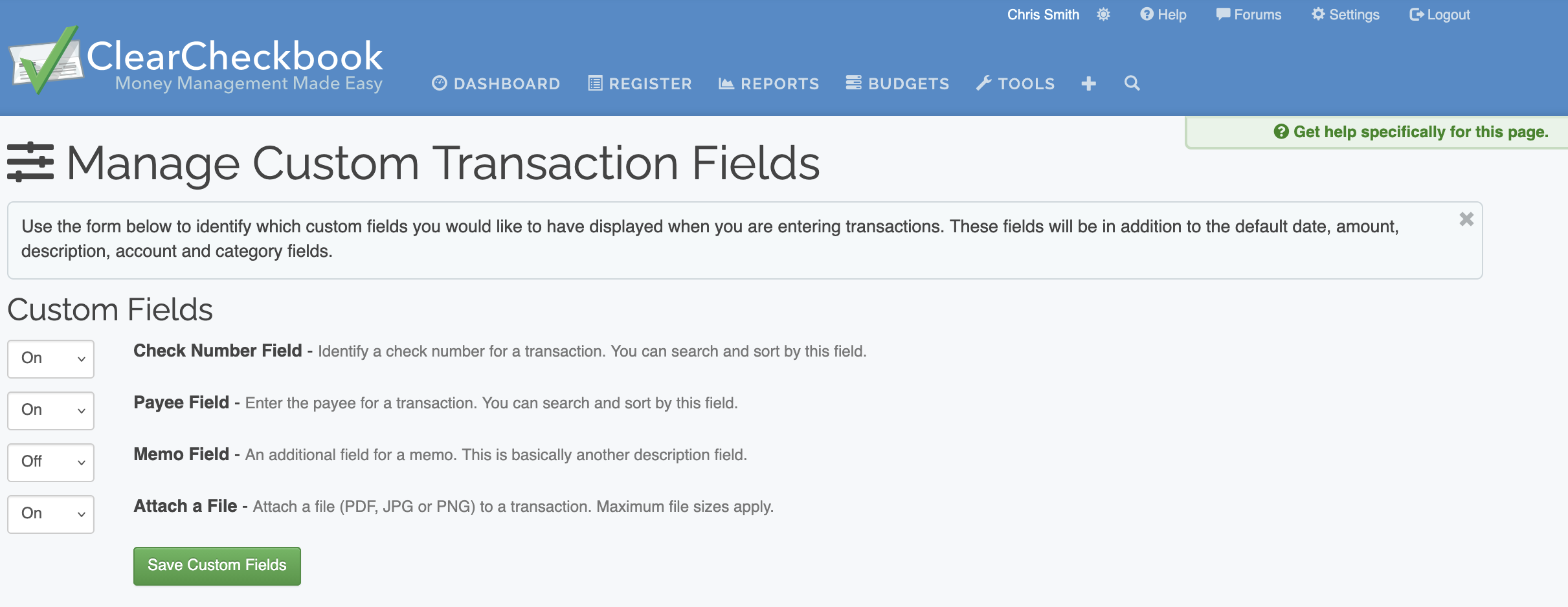
Custom Transaction Fields
Want to add additional fields to your transactions? With a Premium Membership comes the ability to add check numbers, payees and additional memo/note field to each transaction. You can select which additional fields you would like to use and easily turn them on. You can sort and search by these additional fields to make it even easier to find transactions.
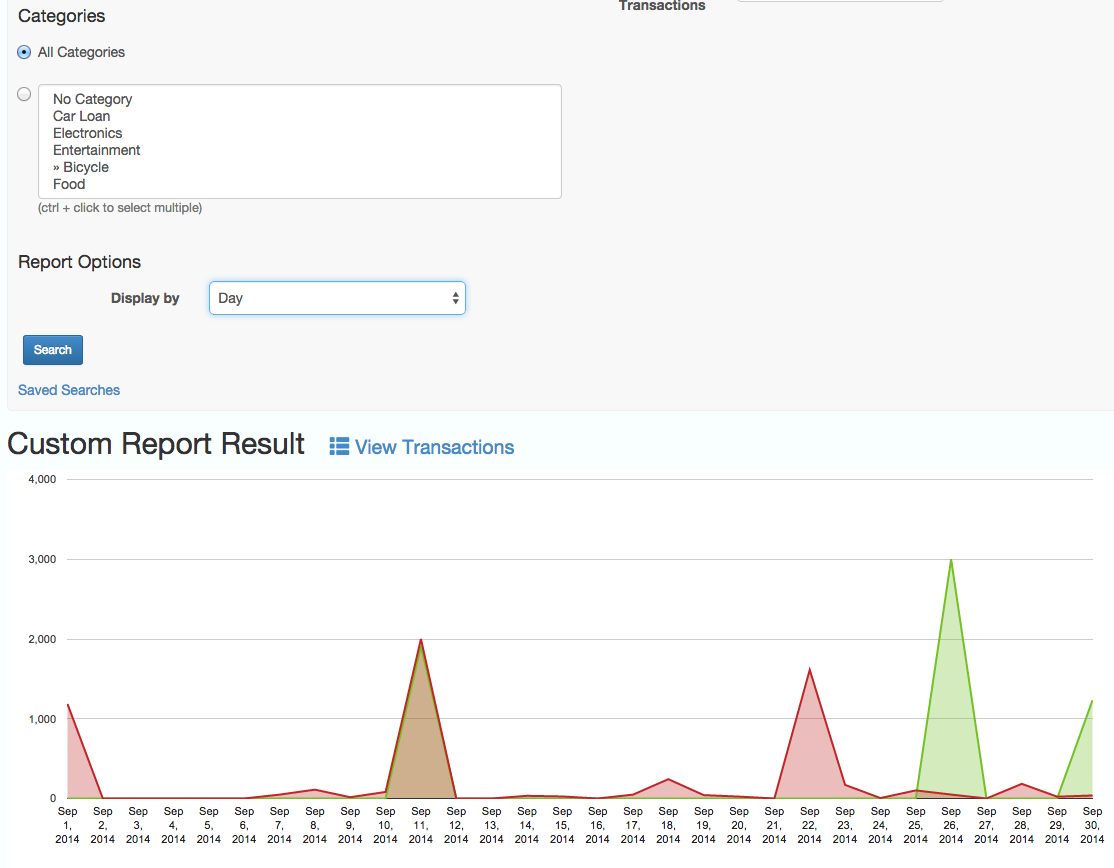
Custom Reports
Create reports that are entirely customized by you. You can use the search box to create your own custom criteria for the reports and then view it exactly how you want. There is no limit to the reports you can create here!
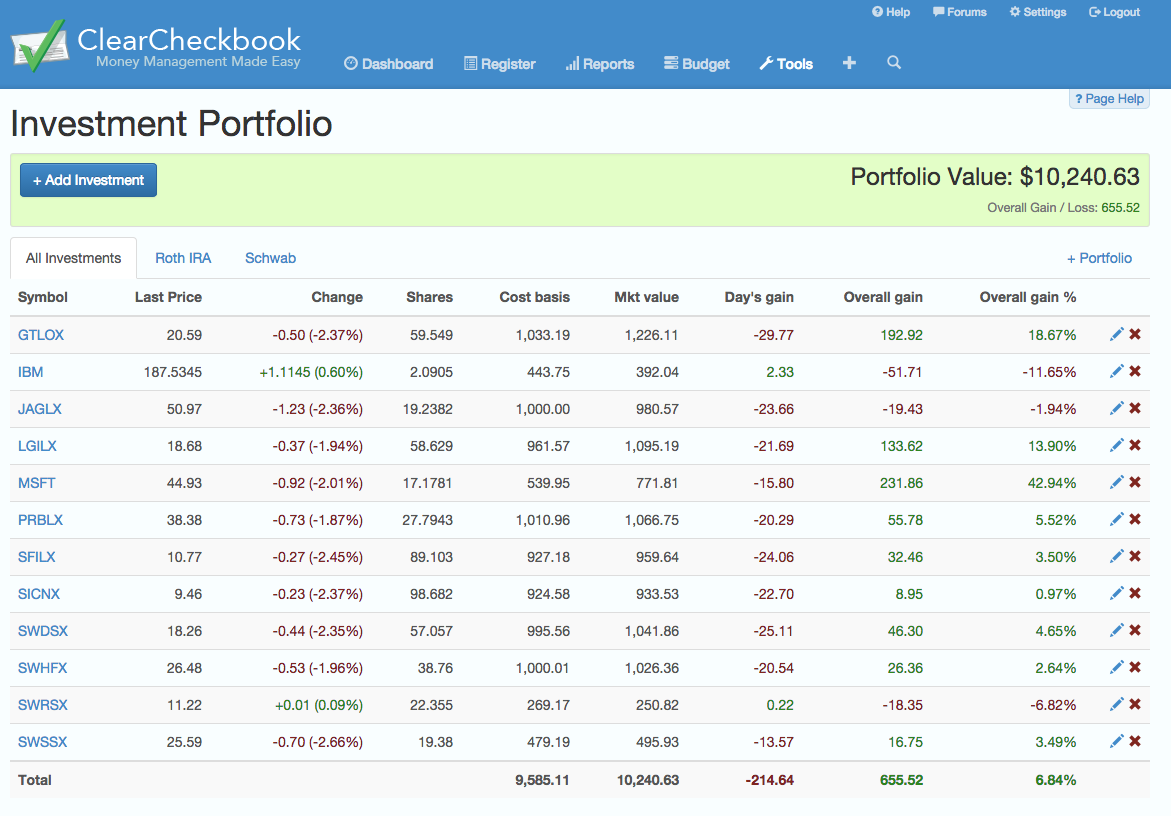
Investment Portfolio
Track your investments with the Investment Portfolio. You can add your stocks and mutual funds and track your gains over time.
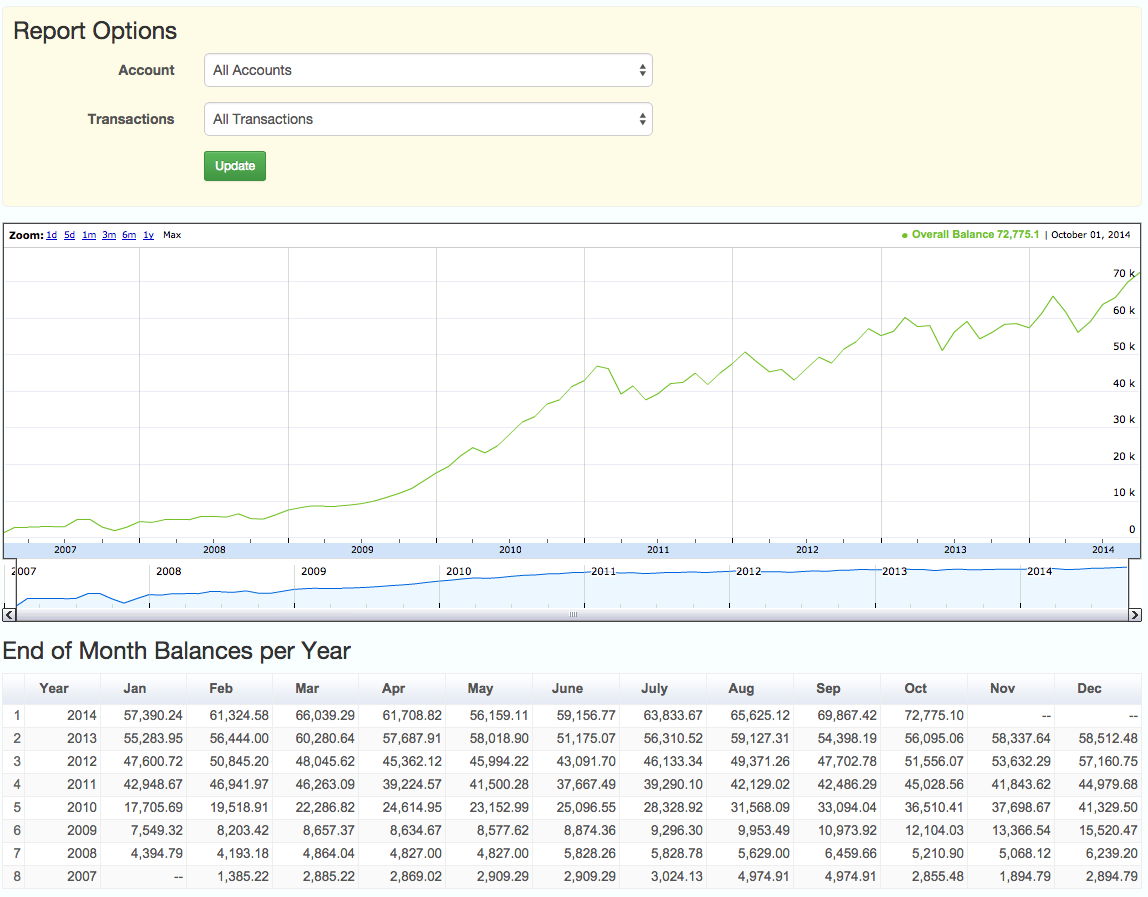
Balances Timeline
View a report of your end of month balances for the entire timeline of your transaction register. We show you both a graphical view of your balances as well as a textual breakdown for each year and month. This is a great way to see how your spending and saving has affected your overall balance.
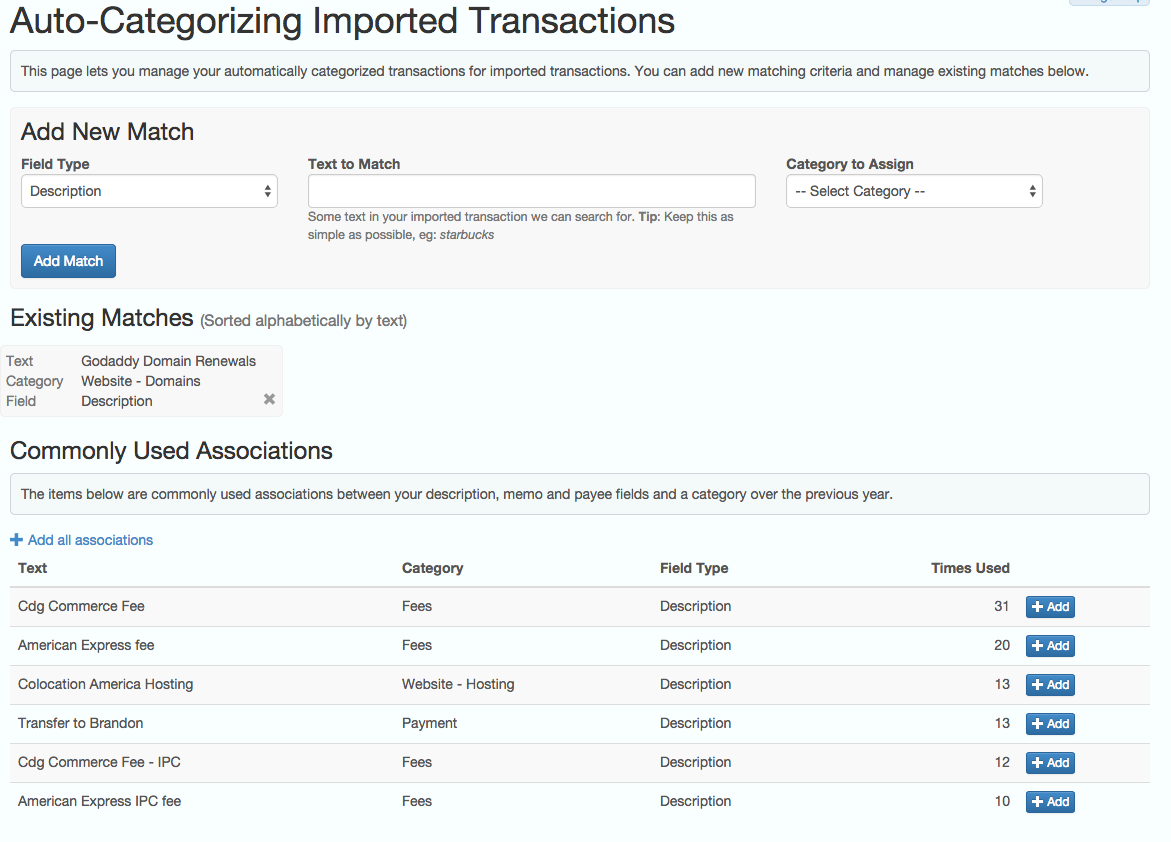
Automatically Categorize Transactions on Import
You can set up automatic categorization for your imported transactions by creating your own associations or using your existing transactions as a foundation. This makes it extremely easy to import your transactions without having to go back and re-categorize all of them.
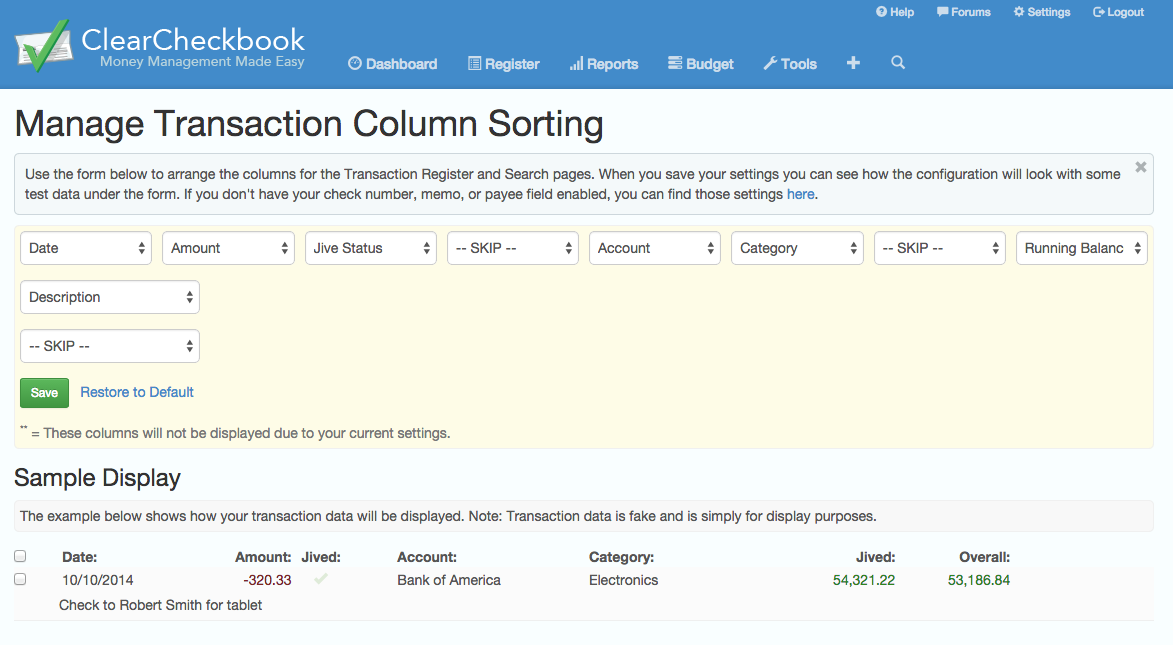
Custom Arrangement of Transaction Columns
Arrange the columns on the Transaction Register and Search results pages exactly how you want. Simply select where you want the transaction fields displayed and that's how they will show up!
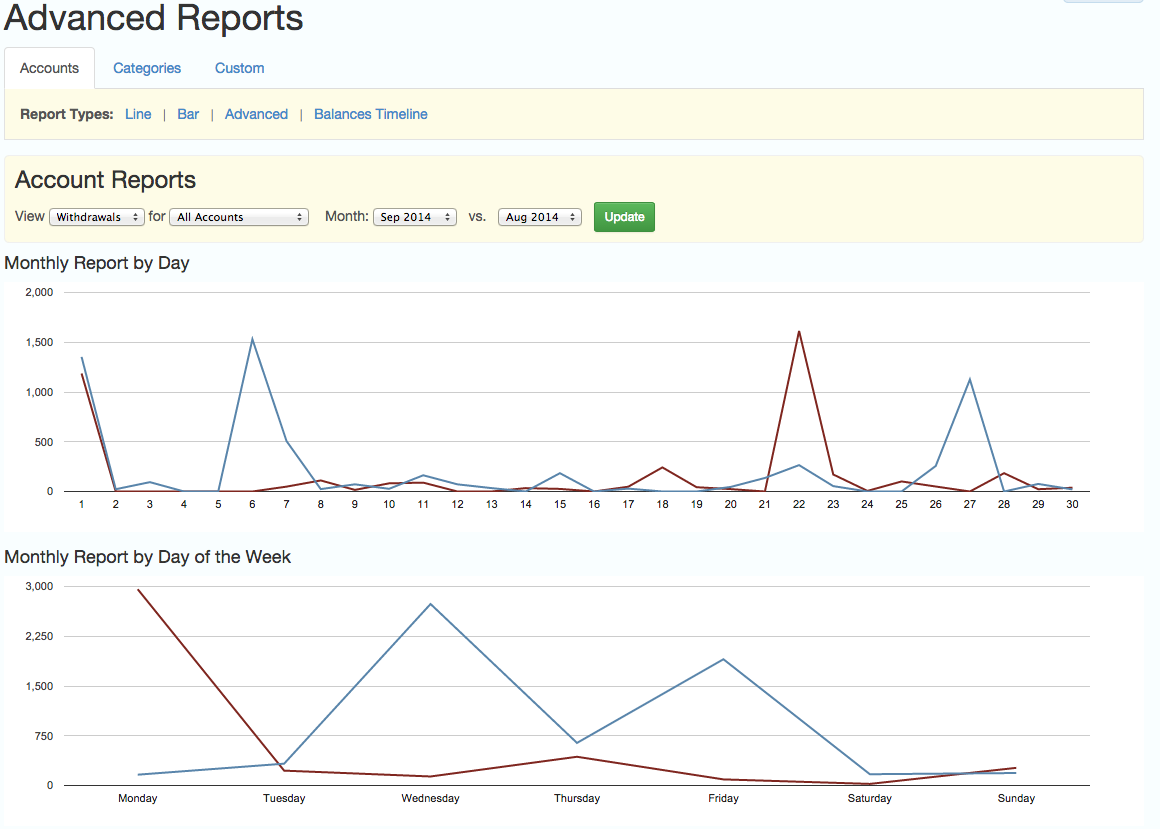
Advanced Reports
Take true control of your spending and view your spending/saving per day for a given month. You can view individual accounts or categories and compare one month against another. In addition to showing your spending/saving per day, we also have daily averages per week. This will let you see what days you spend more on.
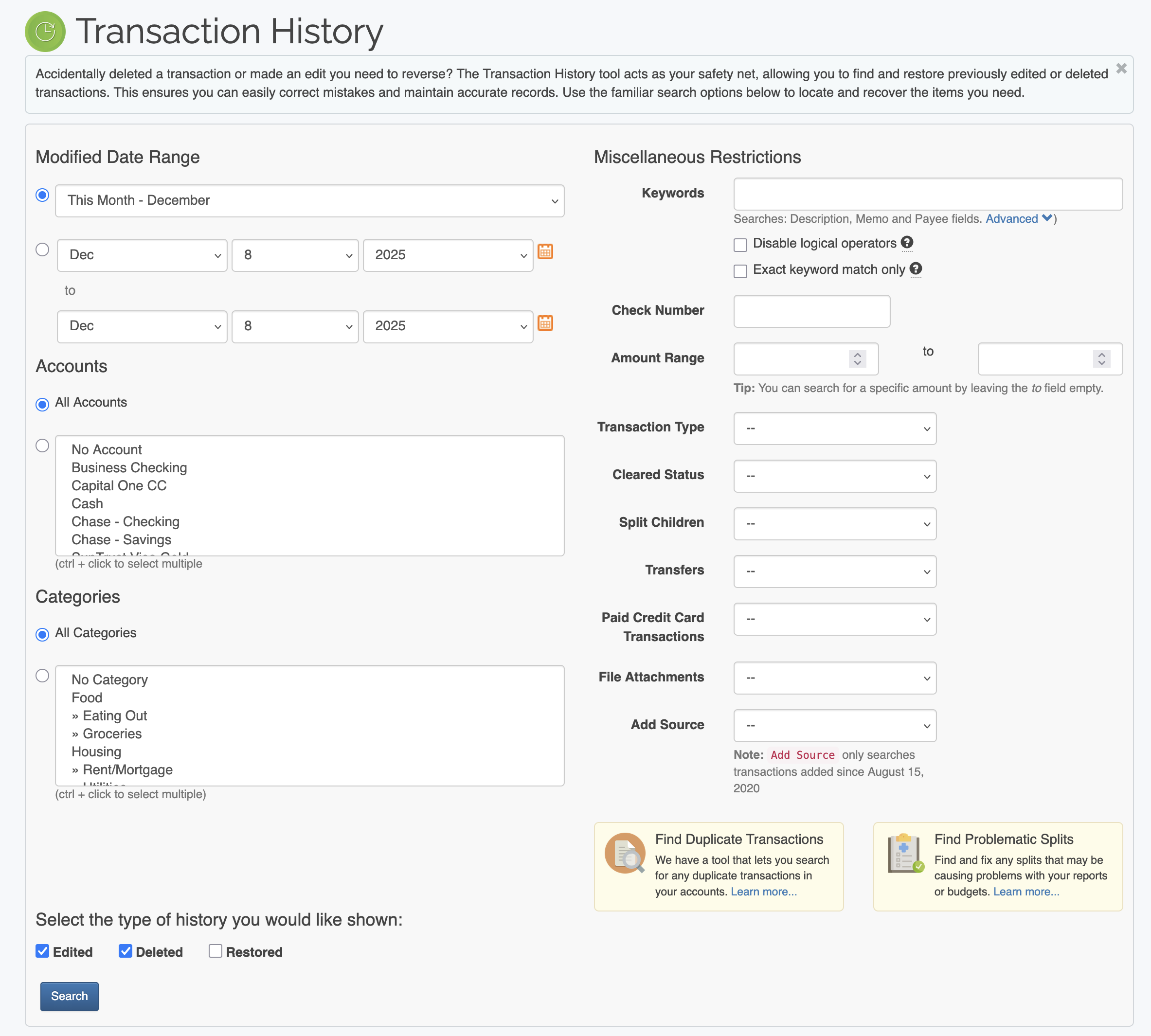
Transaction History
The Transaction History allows you to undo or restore any edited or deleted transactions you've made. This is a great tool to have in case you accidentally delete a bunch of transactions when you meant to edit them, or edited the wrong transactions and want a simple way to restore them. You can scroll back through time and select what kinds of transactions you want to restore. View the Tour page to see a video of the Transaction History in action.
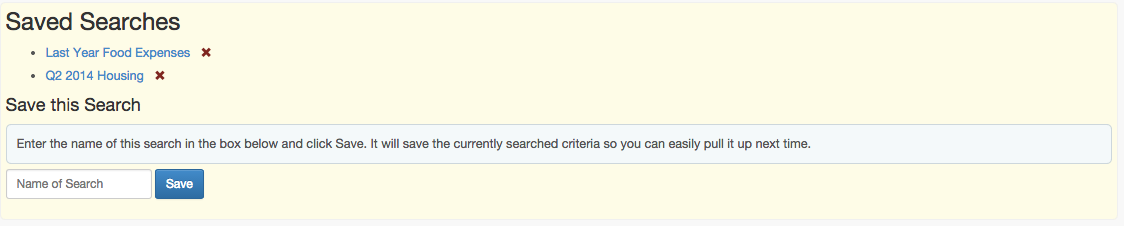
Saved Searches / Reports
You can save any searches and custom reports you make with our Save Search / Report feature. If you search for the same information frequently, you can now save that criteria and easily pull it up every time you need to search or run a report. If you want to save a search or report, it's as easy as conducting a search and then giving it a name!
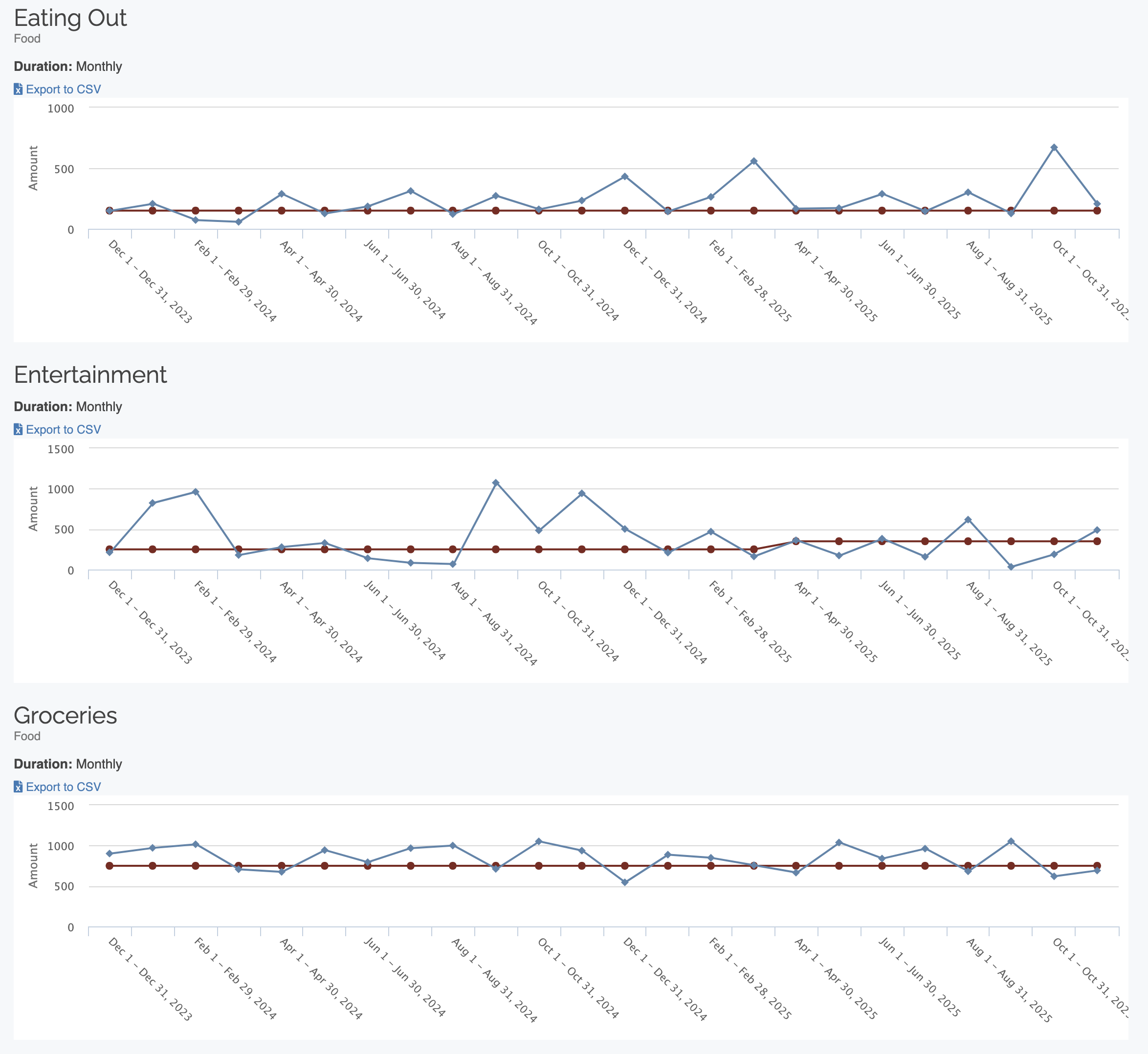
View Budget Histories
You can view your previous spending limits compared with what your limit was for a given month in the past. This lets you see how you've improved your spending habits over time or lets you know that you need to work on them a bit to get them under control.
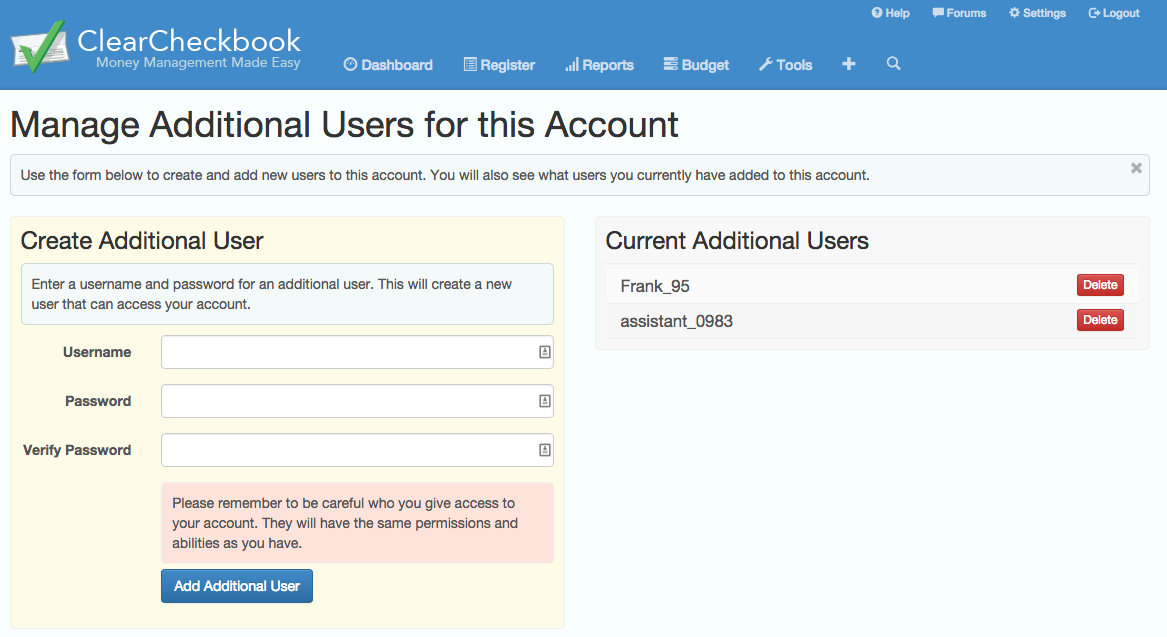
Multiple Users per Account
Want to share your account with a spouse, family member or someone else and keep track of who entered what? By becoming a premium member you can create multiple logins to access your account. All logins will access the same data but now you can track who entered a transaction.
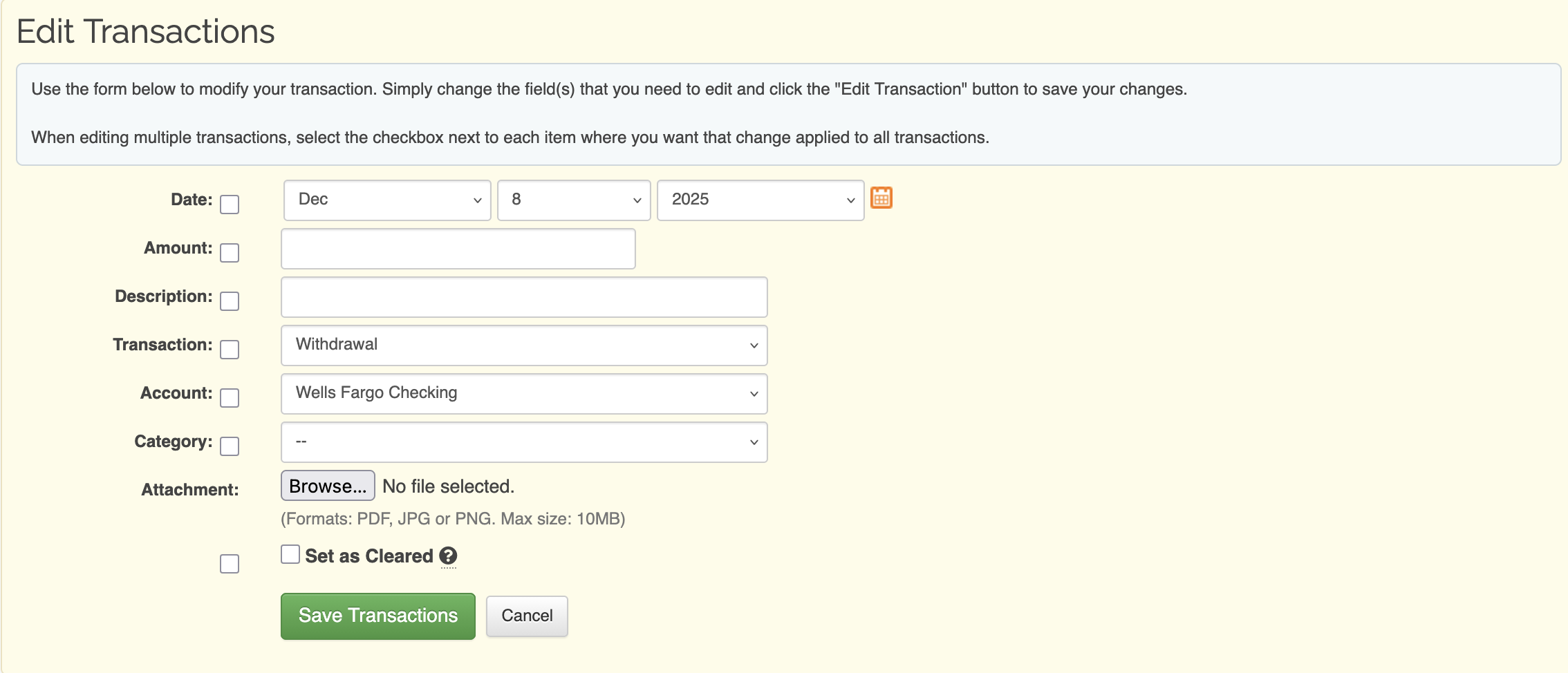
Edit Multiple Transactions
Ever need to edit a bunch of transactions at once? Now you can! You simply select the transactions you wish to edit and then click the Edit button. You determine what fields are edited and what stay the same.
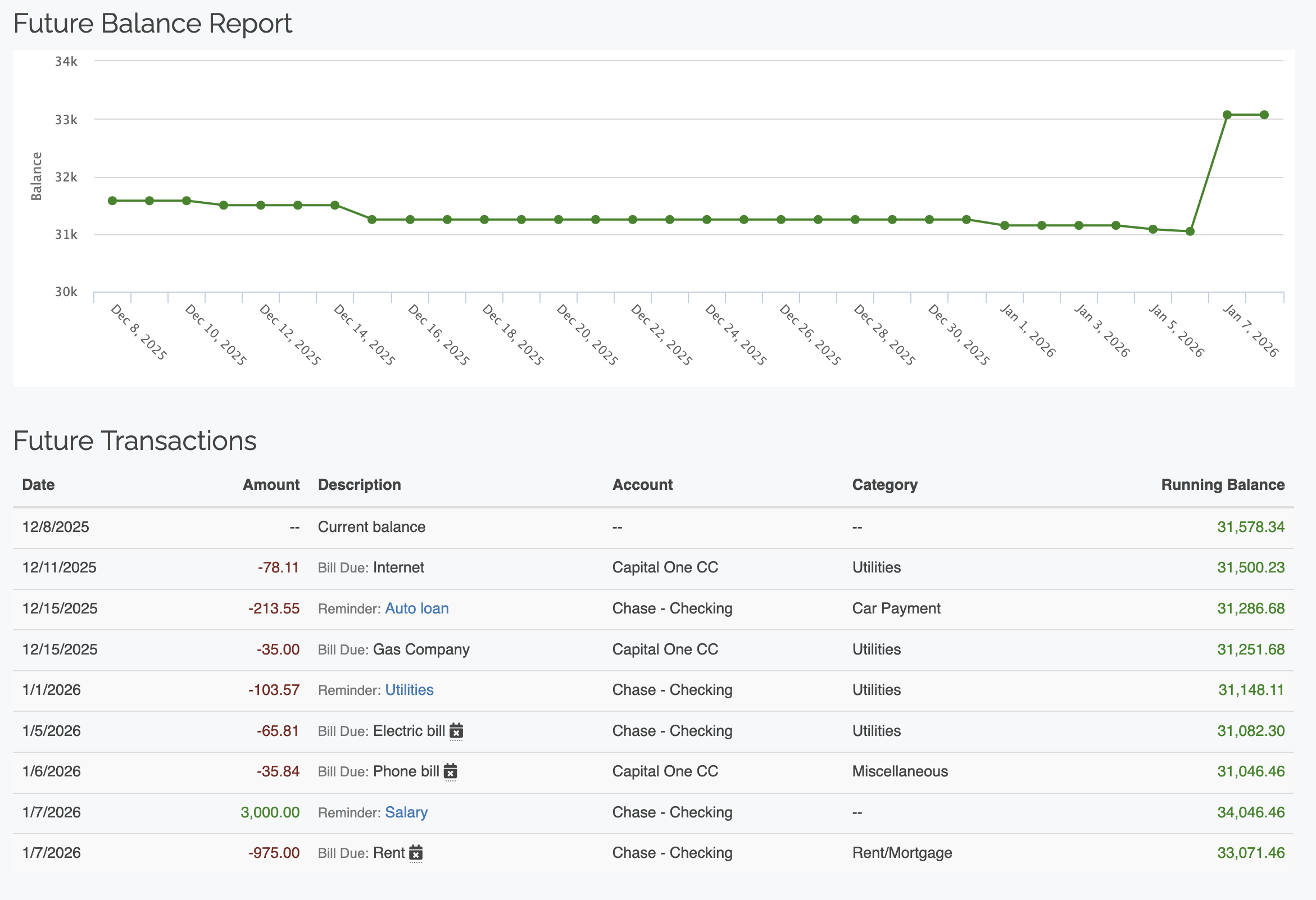
Estimate future balances
Need to know how much money you'll have in 4 months? Use the Future Balances tool to project your future balances. We calculate the balances based on any recurring transactions you have stored with us, plus we give you the option to add additional withdrawal and deposit amounts that will get calculated into the balance for each month.
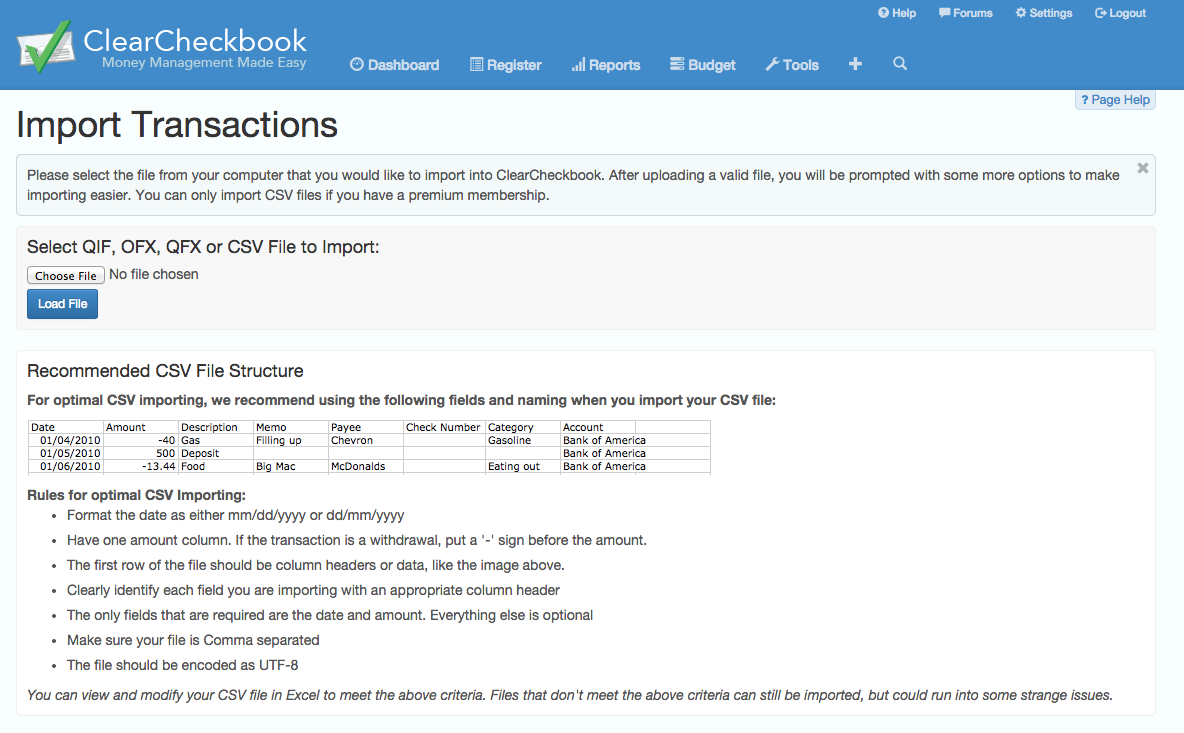
Import CSV Files
With our new importing system, you can now load CSV files into the site. After selecting the CSV file and uploading it, you determine which fields correspond to the date, amount, description, etc. Importing transactions couldn't be easier!
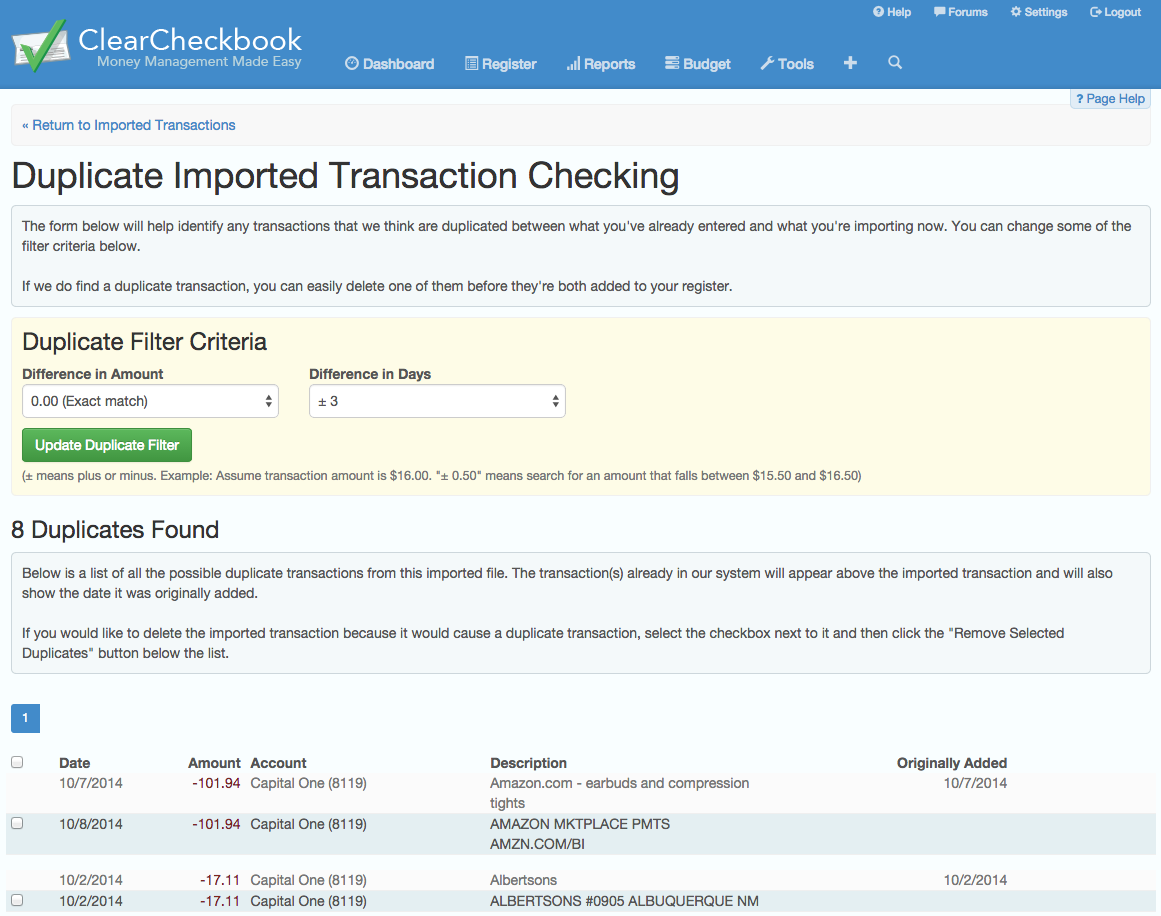
Check for Duplicate Transactions
Want to make sure you're not importing any transactions that you've already added to your transaction register? Simply click the 'Check for Duplicates' button before verifying all your imported transactions and we'll show you a list of any possible duplicates. You can choose to remove them if they are in fact duplicates.
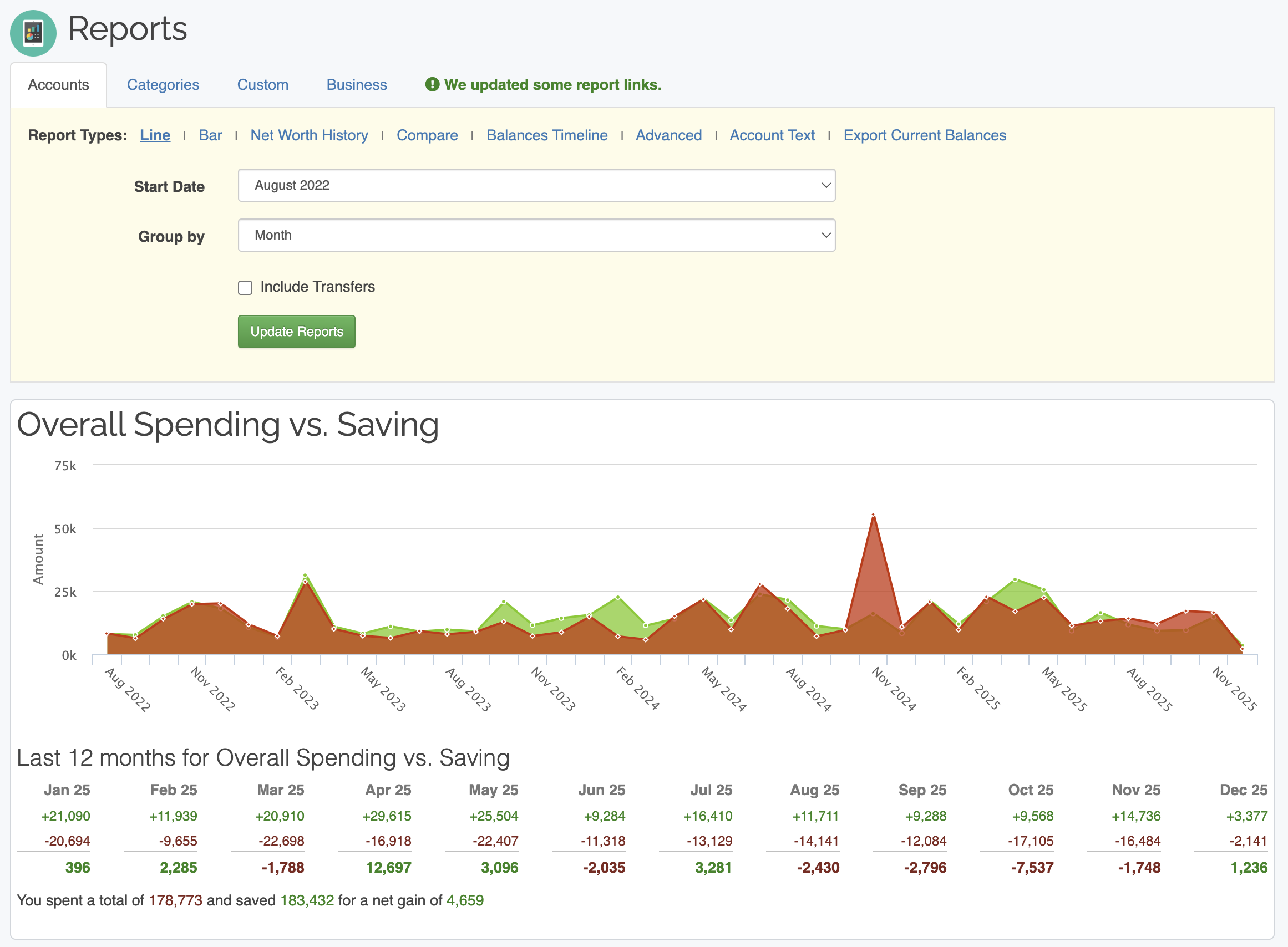
View reports for more than 12 months
Wish you could see more than the last 12 months worth of report data? With a premium membership you can view reports for as far back as you have transactions. This is a great way to compare your spending and saving over time.
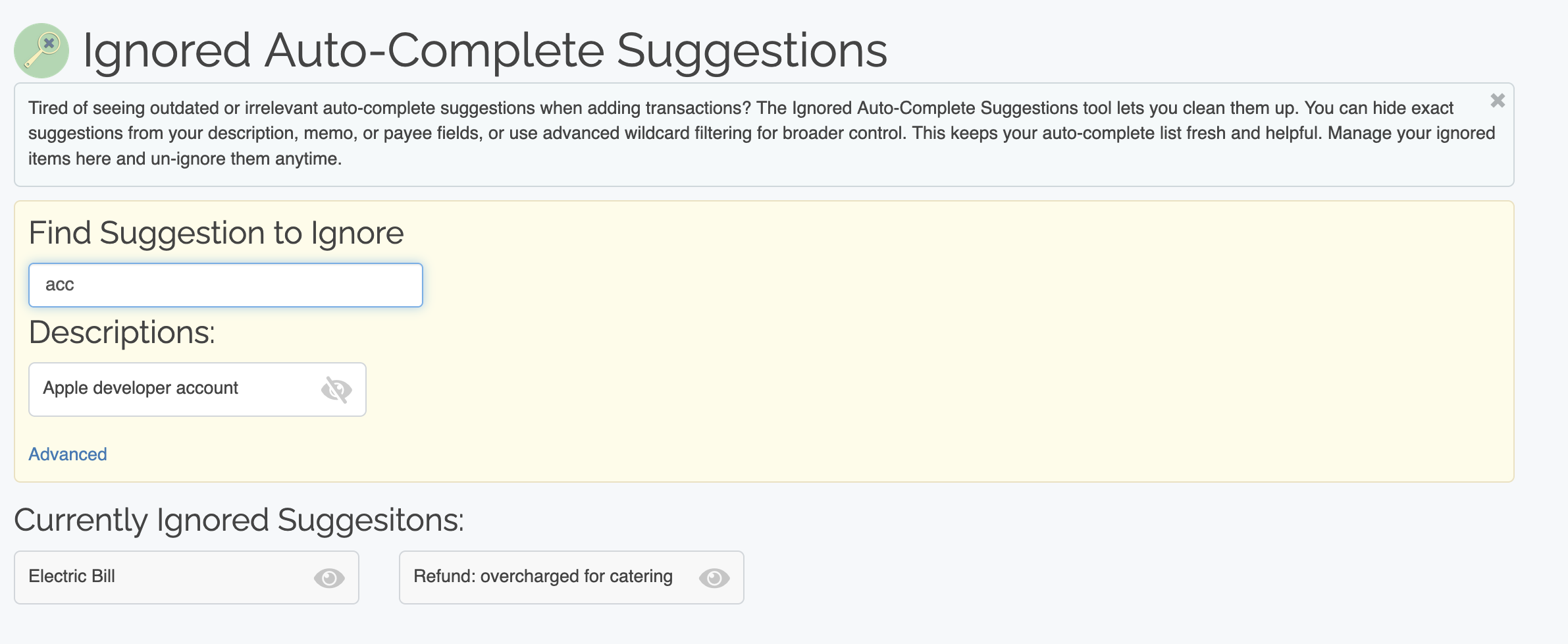
Ignore Autocomplete suggestions
Do you have a pesky transaction suggestion that seems to pop up all the time when you're trying to add a transaction? Now you can click the little 'X' icon next to each suggestion to let us know you no longer want that suggestion to appear in your auto-complete list. Accidentally ignore the wrong Settings? You can go to your Settings page and undo it.